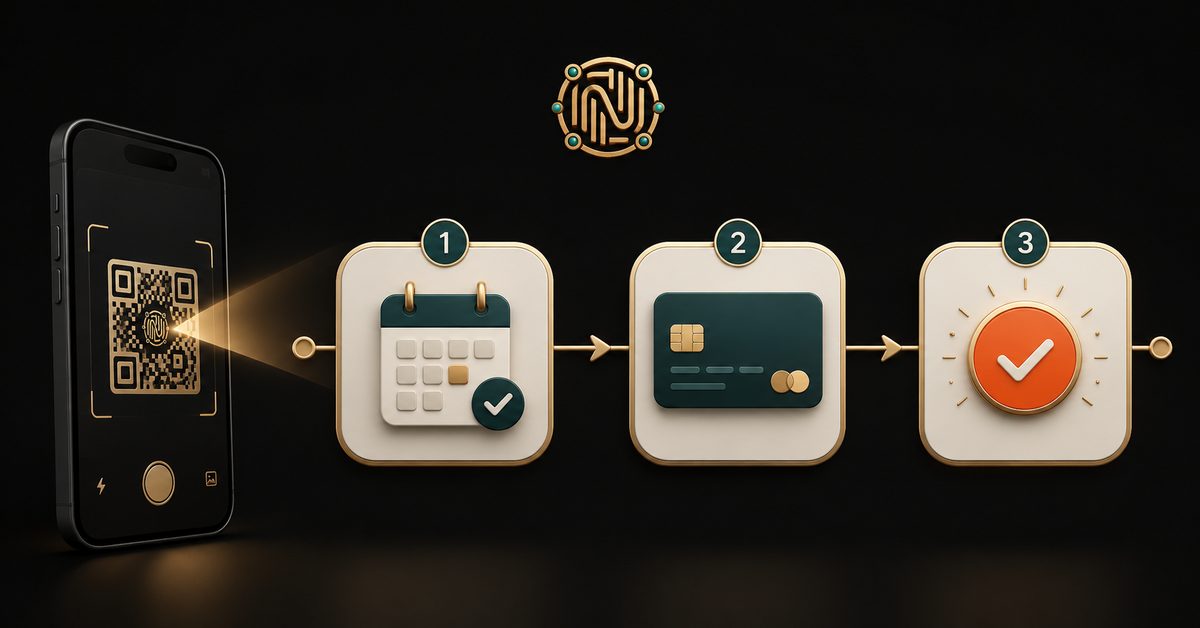
Most small businesses lose customers in the gap between interest and action. Someone wants to book your class, enquire about your service, or grab a spot in your workshop — but the next step is messy. "DM me." "Fill this Google Form." "Then I'll send a payment link." "Then I'll confirm your slot." Every extra step is a place people quietly drop off.
What if a single QR code could run the whole thing? Scan → fill a short form → book a time → pay → get a confirmation. One code, start to finish, no website.
That's exactly what a QRYZEN AI Form does. Here's how it works and how to set it up.
The whole flow lives behind one scan
When someone scans your QR, it opens a clean form you built in a couple of minutes. They fill it in and hit submit — and instead of a dead-end "thanks", they move straight into the next steps you've set:
- 📅 Book a slot — your Calendly, Google appointment, or any booking link
- 💳 Pay now — your Stripe, Razorpay or UPI link (optional)
- ✅ Confirmation — they get a branded email with those same links, and you get the lead the moment they submit
The steps run as a chain, one after another, so nothing gets skipped or orphaned. Reserve the slot, then pay to confirm — the way a real booking should feel.
Key idea: you're not sending people across three apps. You're carrying them through one path, on one page, from one scan.
You only add what you need
The form is the core; booking, payment and the confirmation email are each optional. Leave one blank and that step simply doesn't appear. That means the same tool fits very different businesses:
- Coach or consultant → form + booking link = a clean "book your free discovery call" flow
- Paid consultation → form + book + pay = reserve the slot, then pay to confirm it
- Course or workshop → form + payment = "enrol and pay your seat" in under a minute
- Salon, clinic, studio → form + booking = appointment requests without the back-and-forth
- Enquiry or waitlist → just the form = every lead in one place, with an email confirmation
Same QR, any combination. You can even add a payment step to an existing form later — the printed code keeps working, because QRYZEN codes are dynamic by design.
You don't have to design it — AI does the first draft
The part that usually stops people is the blank screen. With an AI Form, you just describe the goal in plain English — "a waitlist for my new 6-week course" or "booking and deposit for a 1:1 session" — and AI lays out the right fields (name, email, phone, a dropdown of options, a message box), names them clearly, and marks the essentials required. You edit anything before publishing. There are also one-tap templates — Enquiry, Waitlist, Discovery call, Paid consultation, Course — so you can start from a real use case instead of nothing.
Where the replies go (and a note on trust)
Every submission lands in your dashboard as a lead and emails you instantly, so nothing slips through. You can export them to CSV or delete them anytime — and if you'd rather not hold personal data at all, there's a privacy mode that emails each response to you without storing it.
The person filling your form sees a short line confirming their details go only to you, never sold or shared. That tiny bit of reassurance noticeably lifts how many people actually hit submit.
A quick word on payments
QRYZEN never touches card details. You connect your own Stripe, Razorpay or UPI link, and your customer pays on that provider's secure page. The form sends them there and emails them the link too — so even if they want to pay later, they can finish from their inbox. Your payment confirmation comes from your own payment provider, exactly as it does today.
Set one up in a few minutes
- In your dashboard, create a new QR and pick Form.
- Describe what it's for (or pick a template) and let AI draft the fields.
- Under After they submit, paste your booking link and/or payment link, and write a confirmation message.
- Publish — you get a public page at
qryzen.com/f/your-nameand a QR to print or share.
Put that code on a poster, a flyer, your Instagram bio, the back of your visiting card — anywhere your customers already are. One scan, and they're booked, paid and confirmed.
That's the whole point of QRYZEN: a real business flow, in a single scan. Build your AI Form free →