🛍️ AI Catalogue
Catalogue templates
Ready-to-use catalogue templates — preview any one, then make it yours in minutes.
Same catalogue, five looks
One product set — Lookbook, Grid, Collage, Magazine & Spotlight
The first five are the same catalogue shown in each layout, so you can pick the look you love. Below, more ready-to-use templates.
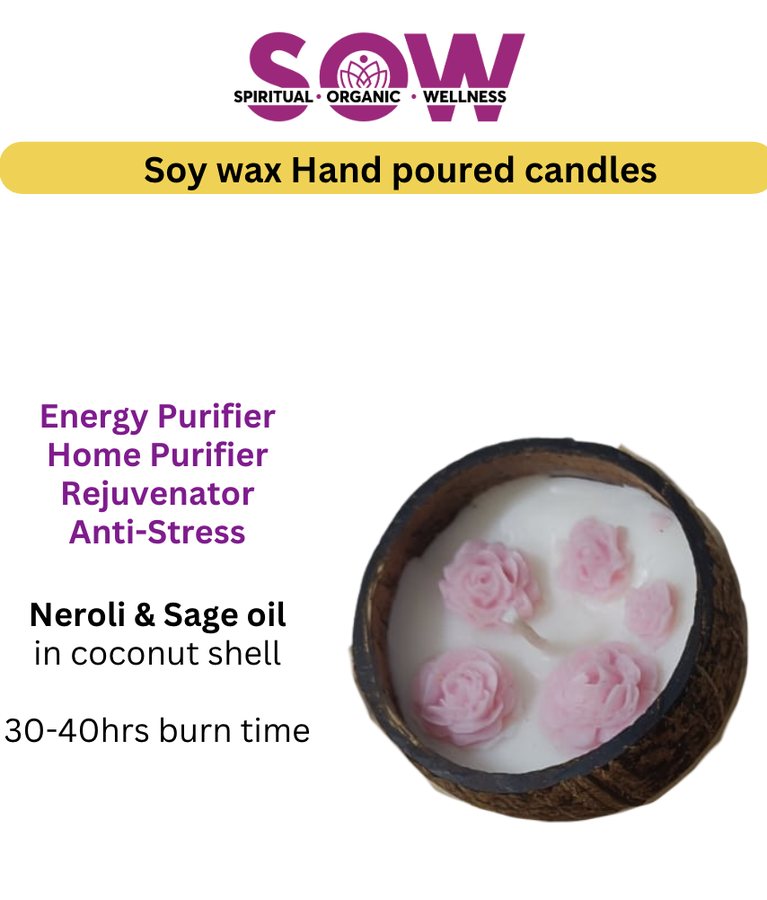
Lookbook
SOW — Lookbook layout
Small-batch, natural, made with intention — crystals, candles & sacred décor.
Collage
SOW — Collage layout
Small-batch, natural, made with intention — crystals, candles & sacred décor.
Magazine
SOW — Magazine layout
Small-batch, natural, made with intention — crystals, candles & sacred décor.
Spotlight
SOW — Spotlight layout
Small-batch, natural, made with intention — crystals, candles & sacred décor.


Why start from a template
A photo album in a chat thread is not a catalogue
Most small sellers send their range as a burst of photos on WhatsApp. Prices sit in a separate message, the good pieces get buried under the new ones, and every enquiry starts with the customer asking how much something costs. Nothing is browsable, nothing is linkable, and nobody forwards it to a friend.
A catalogue page fixes that with one link. Photos, names, prices and a selling line for each item sit on a page of your own, grouped into sections, with an order button on every product. Customers browse it the way they browse a shop, and you send one link instead of forty images.
The first five templates here are deliberately the same catalogue shown five ways — lookbook, grid, collage, magazine and spotlight — so you can see how much the layout changes the feeling before you commit. The grid is compact and quick, built for menus, bakeries and everyday retail. The lookbook reads like print: large photography, serif headings, room to breathe. Jewellers and fashion labels usually want the lookbook; a café usually wants the grid. Below those sit worked examples for jewellery, fashion, a café and a skincare range.
Whichever you pick, the layout is one click to change afterwards. Your products stay exactly as they are.
How a catalogue template becomes yours
- 1
Pick the look, not the products
Open the five layout versions first and choose the presentation that suits what you sell. The sample products do not matter — you are choosing how your own pieces will be framed.
- 2
Add your items and let the AI write
Add a photo, a name and a price for each product. The AI writes a warm selling line for every item and groups them into sections — Earrings, Necklaces, Cakes, Lighting — so a long flat list becomes an organised page. Every line stays editable.
- 3
Publish and take orders
Your catalogue is live at qryzen.com/c/your-name with its own QR code for your packaging, shopfront or table tents. Customers order on WhatsApp with the product pre-filled, or pay by card through a gateway you connect yourself.
Other template galleries
AI Brand Page templates
For the page about the business itself — your story, your proof and your buttons — rather than a list of products.
Sales funnel templates
For when you are selling one thing properly: a video, a lead step, the offer, payment and instant delivery in order.
What an AI catalogue is
The product behind these templates — how the AI writes and sorts your items, what ordering options you get, and what it costs.
Common questions
What is the difference between the grid and the lookbook?
The same products in two presentations, switched with one click. The grid is a compact card layout built for speed, which suits menus, bakeries and everyday retail. The lookbook renders like a print magazine — large photography, serif headings, numbered captions and generous whitespace — which suits jewellers, fashion labels and interior studios.
Do I need a website to use a catalogue?
No. Your catalogue is hosted for you at qryzen.com/c/your-name with its own QR code. Plenty of sellers run entirely on a catalogue link plus WhatsApp and never build a site at all.
Do I have to write the product descriptions?
Only if you want to. Add a name and a price and the AI writes a specific selling line for each item, then groups the products into sections with clean headings. You can edit or replace any line before you publish.
How do customers order?
Two ways, and you can use both. Tapping an item opens a WhatsApp message with the product, price and photo already filled in, so no gateway is needed at all. Or connect your own gateway — Stripe, PayPal, Razorpay, Cashfree or Instamojo — and each product shows a Pay button. The money goes to your account either way.
Can someone save or forward the catalogue?
Yes. Any visitor can tap Save as PDF and download the whole catalogue with the design intact and the links still working — useful for a buyer who wants to show it to someone else or keep it offline.
If I change my prices, do I reprint the QR code?
No. The code is dynamic and points at your catalogue, so edits appear instantly behind the same printed square. Print it on packaging, a poster or your shopfront once and keep changing what sits behind it.
Yours can look like this in minutes
Add your products, let the AI write and sort them, pick a layout and publish. Free to start.
Build my catalogue free