⚡ Your QR codes never die — guaranteed
Bundle QR Code Generator
Put several PDFs, videos, recordings, images and links behind a single QR code, on one page people can actually work through. For teachers handing out resources, hosts welcoming guests, course creators, and anyone whose one link was never really one thing.
No credit card needed · Free codes stay free forever
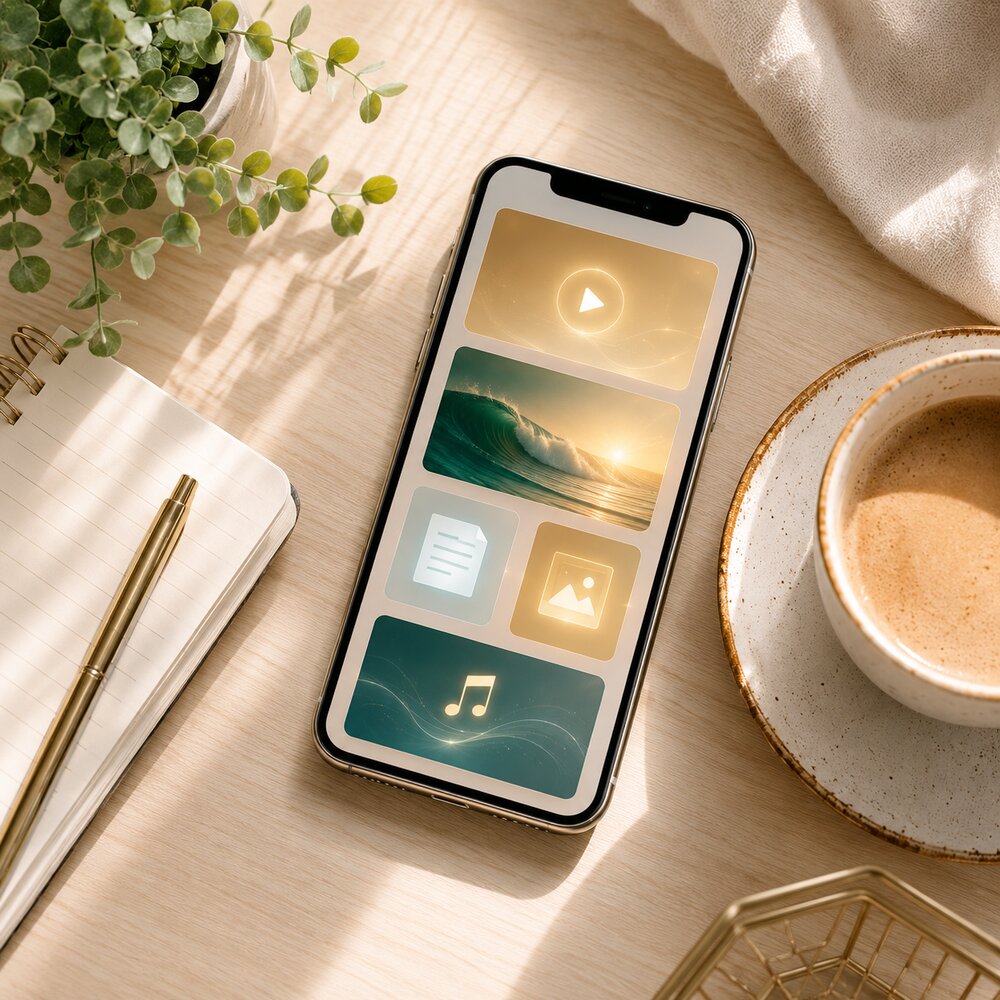
See it in action
Bundle QR Code — in three steps
- 1Add links, files, video
- 2Reorder by drag
- 3One QR opens it all
About the Bundle QR — one code for multiple files
Bundle QR — one code for multiple files
Put several PDFs, videos, recordings, images and links behind a single QR code, on one page people can actually work through. For teachers handing out resources, hosts welcoming guests, course creators, and anyone whose one link was never really one thing.
What is a Bundle QR code?
A QR code that opens one branded page holding a mix of content — several PDFs, images, videos (YouTube, Vimeo or an uploaded MP4), audio and links, in any order you choose. Instead of one file or one link, a single scan hands someone the whole pack.
Who is it for?
Anyone whose answer to a question is more than one file. Teachers sharing a topic's worksheet, video and reading list; short-term rental hosts replacing the printed welcome folder; course creators giving a cohort its lessons, slides and templates; a product shipping with its manual, how-to video and warranty; an event handing delegates the agenda, the map and the slide decks.
Why use QRYZEN for this
Several files behind one code. Up to 15 blocks — PDFs, images, video, audio, links and text notes — arranged in the order you want them read. One code instead of five.
Upload or embed. Upload files directly, or paste a YouTube or Vimeo link to embed a player. Audio and images play and display inline, so nothing has to be downloaded first.
Always editable. Add a worksheet, swap last term's video, reorder the list — the printed code never changes. The pack stays current long after the handout was printed.
Your branding. Logo, cover, title and a template, so the page reads as yours rather than as a file-sharing folder.
Nothing to host or share manually. No website, no Drive folder to keep permissions straight on, no link that breaks when someone tidies up the shared drive. Upload once and the page has a permanent address.
See what got used. Every scan is counted with the time and rough location, so you learn which handout, sign or pack is actually being opened.
The code never expires. Free codes stay live. Print the pack's code on a worksheet, a door card or a box once — there is no trial clock waiting to switch it off.
Frequently asked questions
Can I put several PDFs behind one QR code?+
Yes — that is exactly what a bundle is for. Add each document as its own block, name them so people know which is which, and one scan opens all of them on a single page. Files can be up to 25 MB each, up to 15 blocks in total.
What can I put in a bundle?+
Links, files (PDF, Word, slides), images, videos (YouTube, Vimeo or an uploaded MP4), audio (MP3) and text notes — up to 15 blocks, in any order.
Can people watch videos right on the page?+
Yes. Paste a YouTube or Vimeo link and it embeds a player; upload an MP4 and it plays inline. Audio plays inline too, so a listener never leaves the page.
Can I change the contents later?+
Anytime — add, remove or reorder blocks from your dashboard. The QR code and its address stay the same, which is the whole reason to use a bundle for anything that gets printed.
Is there a size limit on uploads?+
Single files up to 25 MB each. For a long video, hosting it on YouTube or Vimeo and embedding the link keeps the page fast — a 200 MB upload punishes everyone opening it on mobile data.
Can a QR code hold the files themselves?+
No. A QR code carries a small amount of data — enough for a web address, nowhere near enough for a document, let alone five. Every multi-file QR code works the same way: the files sit on a server and the code carries the link. Whoever scans it needs a data connection or wi-fi to open them.
Should I use a bundle or a link-in-bio page?+
A link page is for destinations — your website, store, booking page, socials. A bundle is for material — documents, videos and recordings people need to read, watch or keep. If most of what you are sharing is files rather than places to go, use a bundle.
Do people need an app to open it?+
No. The camera on both iPhone and Android reads QR codes natively, and the page opens in the browser. Nothing to install, no account to create, no sign-in before someone can read the first page.
How many blocks should a bundle have?+
Fewer than you think. Fifteen is the ceiling, not the target. Put the thing people came for first, keep the pack to what someone would genuinely open in one sitting, and split anything longer into separate codes placed where each is actually needed.
Where does my bundle live?+
At qryzen.com/b/your-name, with its own QR code. Pick a custom name or let us generate one.
Can I track opens?+
Yes — every scan is counted with the time and rough location, shown in your dashboard. That tells you whether the code on the worksheet, the door card or the box is being used at all.
Is a bundle QR code really free?+
Yes. Building the page, uploading the files, generating the code and downloading it for print cost nothing, and the code does not expire. Worth checking on any tool you use: some free plans switch the code off when a 7- or 14-day trial ends, which is a problem you only discover after the handouts are printed.
How big should I print the code?+
About 2 × 2 cm as a floor for close-range scanning, and roughly 1 cm of code for every 10 cm of scanning distance. Print one test copy and scan it from where the reader will actually stand — a corner of a worksheet is close range, a notice board across a corridor is not.
The problem a bundle actually solves
Most things worth handing someone are not one thing. A class topic is a worksheet and a video and a reading list. A holiday let is the wi-fi password, the bin day, the check-out time and the number to call when the boiler sulks. A product is a manual, an assembly video and a warranty. A course is lessons, slides and templates.
The usual answers all leak. Five separate codes on one page means five things to print, maintain and get wrong. A shared drive folder means permissions, a link somebody eventually moves, and a login screen in front of a person who just wanted the wi-fi password. A single PDF containing everything means a 40 MB download on a phone, and a video that cannot be watched because it is a picture of a video.
A bundle is the plain version of the job: one code, one page, the material in the order you want it met.
The test for a bundle is whether someone would ask a second question after opening the first file. If yes, the second answer belongs behind the same code.
A code never holds the files — and that decides what matters
A QR code carries a small amount of data. Enough for a web address, nowhere near enough for a document, and certainly not for several. So every multi-file QR code, from every tool, works the same way underneath: the files live on a server and the code carries the link to the page that lists them.
Which means the quality of a bundle has very little to do with the pattern you print and almost everything to do with two things — where the files are hosted, and whether that link still resolves in eighteen months. Neither is visible at the moment you download the image, and both are where free tools differ most.
Bundle, link page or single file — choose before you print
Three QRYZEN products look similar from the outside and do genuinely different jobs. Picking the wrong one wastes the print run rather than the content.
| Bundle QR | Link page | File / PDF QR | |
|---|---|---|---|
| What it holds | Files, video, audio, images and links together | Up to 12 destinations, plus social icons | One document |
| Best when | People need to read, watch or keep the material | People need to choose where to go next | There is exactly one thing to open |
| Typical use | Resource pack, welcome book, course materials | Instagram bio, business card, poster | Brochure, price list, manual |
| Editable after printing | Yes | Yes | Yes |
| Where to start | This page | Link-in-bio page | File & PDF QR |
Rule of thumb: destinations go on a link page, material goes in a bundle. If someone will still be reading it ten minutes after scanning, it is material.
Where a bundle earns its space
- Classrooms — a code in the corner of a worksheet carrying the video, the reading and the practice sheet. More in QR codes for schools.
- Short-term rentals and hotels — the welcome folder that never goes missing, is never out of date, and does not need reprinting when the wi-fi password changes.
- Courses and cohorts — this week's lesson, slides and templates behind one code on the workbook, updated between intakes without a new print run.
- Product packaging — manual, assembly video, warranty and a reorder link on the box itself. See QR codes on product packaging.
- Events and conferences — agenda, floor map, speaker slides and the feedback form on the badge or the table card. See QR codes for events.
- Property viewings — floor plan, brochure, walk-through video and the EPC in one scan on the board. See QR codes for real estate.
- Client and staff onboarding — the welcome note, the forms, the policy PDFs and the intro video, handed over as one code instead of a seven-attachment email.
- Trade show stands — the catalogue, the demo video and the price list, so a visitor leaves with everything and you leave with fewer printed brochures. See QR codes for a trade show booth.
- Weddings and gifts — the photo album, a recorded message and the playlist behind one code on the card. Ideas in QR codes for weddings.
The two cases worth building for properly
Classrooms are the strongest case, and the research is more encouraging than most edtech claims. A 2025 study in Frontiers in Education ran QR-code-linked material alongside cooperative learning tasks and measured the class before, after, and again a month later — the gain was still there at the follow-up, which is the measurement that usually disappears. The mechanism is unglamorous: the supporting material is one scan away at the moment the student is looking at the question, rather than three taps and a login away that evening.
Short-term rentals are the least crowded case. Hosts with the best review scores treat the welcome book as something that changes, because wi-fi passwords, bin days and local recommendations change. A printed folder cannot. A bundle behind a code on the fridge holds the house manual as a PDF, a ninety-second video of the temperamental shower, the check-out instructions and a link to the local recommendations — and gets edited in a minute when the code for the gate changes.
- For a rental, put the wi-fi first. It is the thing every guest opens the door wanting. A wi-fi QR code connects them without anyone typing a password.
- For a classroom, name each block by what it is for — 'Watch this first · 4 min' rather than 'Video 1'. The label does the teaching that the scan cannot.
- For both, put a text note at the top saying what is inside and roughly how long it takes. People finish a pack they can see the end of.
Build a bundle people actually finish
The code gets the page opened. These five things get the pack used:
- Put the most-wanted item first. Whatever people scanned for goes at the top, even if it is not the logical start of your material.
- Label blocks by what they do, not what they are. 'Assembly video · 3 min' beats 'video.mp4' every time, because the reader knows what they are agreeing to before they tap.
- Compress before uploading. A PDF exported for print is often ten times the size of the same document exported for screen, and every reader pays for that in loading time on mobile data.
- Host long video on YouTube or Vimeo and embed it, rather than uploading it. The page stays fast and the 25 MB per-file limit stops being a constraint.
- Print it big enough for where it is standing — the QR code size guide has the distance maths. A code too small for its position is the most common reason a print run underperforms.
You can see which part got used
Because the code routes through a redirect, every scan is counted — how many, when, and roughly where. That is the measurement print has always been missing. You find out that the code on the worksheet is scanned at nine in the evening rather than in the lesson, and you change what you put behind it.
How QR code scan tracking works covers what is measured and what is not, and dynamic vs static QR codes explains why a static code cannot count anything at all.
Related guides & tools
- File & PDF QR — a single document behind one code
- Link page — when you are sharing destinations, not files
- Audio QR — a recording that plays on the page
- Video QR — YouTube, Vimeo or your own MP4
- QR codes for schools — worksheets, notices and resources
- QR codes for events — agendas, maps and slides
- Guide: How to track QR code scans
- Guide: What size to print a QR code
- QR codes that never expire
Ready to create your bundle qr — one code for multiple files?
Start free in under a minute. Your code is yours forever.
Create a bundle — free